pilotopsai
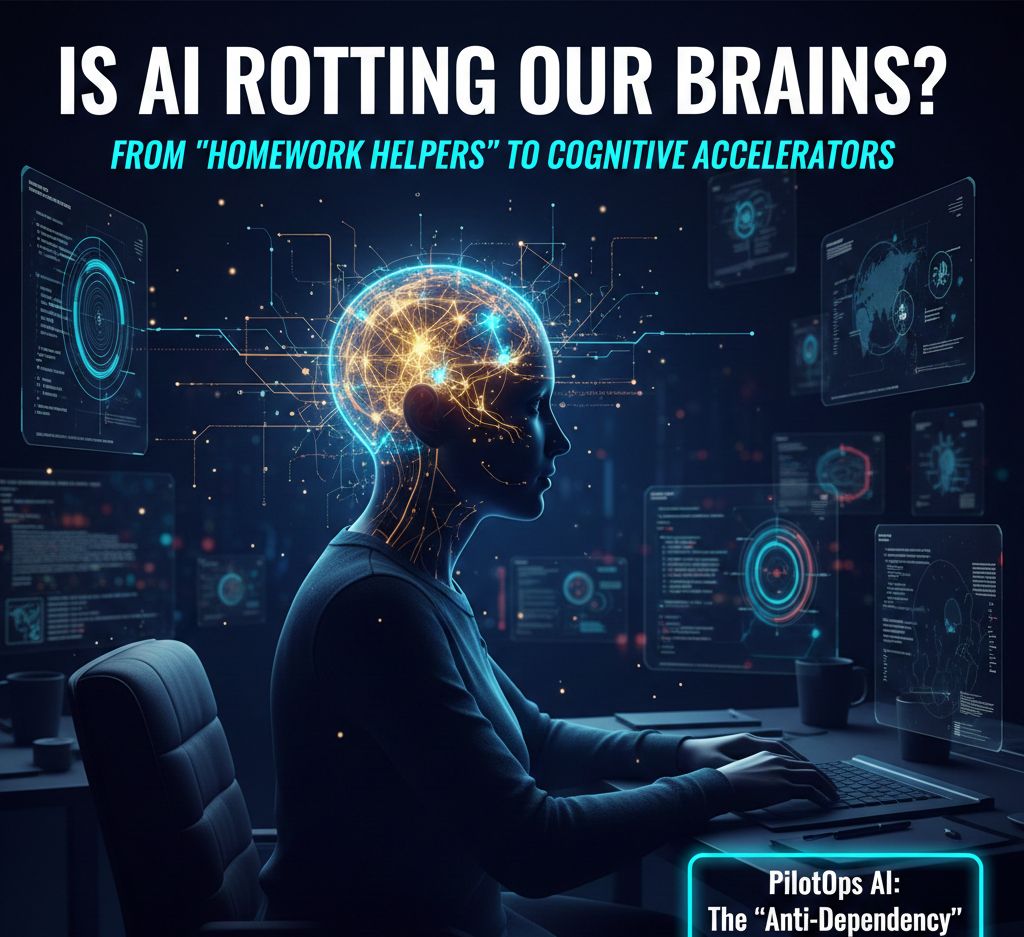
Is Artificial Intelligence rotting our brains? It’s the question every parent, teacher, and serious student is asking in 2025.
When you can paste a calculus problem into ChatGPT and get the answer in 0.5 seconds, you aren’t learning math—you’re learning how to copy-paste. This is called Cognitive Atrophy. The easier the AI makes your life, the weaker your own mental muscles become.
But what if AI could do the opposite? What if there was an AI designed not to do the work for you, but to force you to become smarter?
In this post, I am reviewing the absolute best learning AI for students who care about actually mastering a subject. We are moving beyond “homework helpers” and looking at “Cognitive Accelerators.”
We will cover:
- PilotOps AI (Cognitive Accelerator Mode) – The best for deep mastery and anti-dependency.
- Khanmigo – The best for K-12 curriculum support.
- Quizlet Q-Chat – The best for rote memorization and vocabulary.
- ChatGPT Plus – The best for general productivity (but dangerous for learning).
- Socratic by Google – The best for quick visual answers.
If you are a student, a developer learning a new language, or a lifelong learner, this list is your roadmap to using AI to upgrade your mind, not replace it.
Let’s dive in.
1. PilotOps AI Review: The “Anti-Dependency” Engine
Best For: Students, Developers, and Lifelong Learners who want deep comprehension.
[IMAGE: A screenshot of the PilotOps Interface showing the ‘Study Mode’ button active, perhaps with a dark, sleek UI looking like a command center.]
Most AI tools are designed to be “helpful.” They rush to give you the answer. PilotOps AI is different. With its newly launched Cognitive Accelerator Mode, it is the first AI platform explicitly designed to prevent AI dependency.
Think of ChatGPT as a butler who does your chores. Think of PilotOps as a Navy SEAL instructor who forces you to do the pushups yourself.
Key Features (The Tech Stack)
PilotOps isn’t just a chatbot; it’s a pedagogical engine. Here are the 5 key features that make it the best learning AI for students who want to dominate their field.
- The Socratic Architect: This is the core logic engine. Instead of dumping information, the AI uses a chain of targeted questions to guide you to the answer. It breaks complex problems down into first principles. It refuses to solve the problem until you understand the logic.
- The Drill Sergeant (Active Recall): This is a rapid-fire interrogation mode. The AI throws hard questions at you, grades your logic immediately, and adapts the difficulty in real-time. If you get it right, the next question gets harder. It isolates the gaps in your knowledge and drills them until you master them.
- The Game Master (Cognitive Gamification): Learning doesn’t have to be boring. PilotOps launches specific mental games like “Syntax Scramble” (where you have to spot bugs in code) or “The Fermi Estimator” (where you solve impossible math problems using order-of-magnitude logic).
- The Visual Cortex Stimulator: This is a killer feature for visual learners. If you are struggling to understand a concept like “The Event Horizon” or “Binary Search Trees,” the AI autonomously triggers the platform’s Image Generator to create a detailed infographic or diagram on the fly.
- Knowledge Artifact Generator: The AI doesn’t just chat; it builds. It generates downloadable files (.csv flashcards for Anki, .md cheat sheets, .txt syllabuses) that you can save and keep forever.
My Experience: The “Cheat Sheet” vs. The “Professor”
To test if the Cognitive Accelerator was real or just marketing hype, I ran a head-to-head experiment using a real university-level coding assignment.
The Task: A C++ Programming Assignment involving Pointers, Memory Addresses, and Menu-Based Execution.
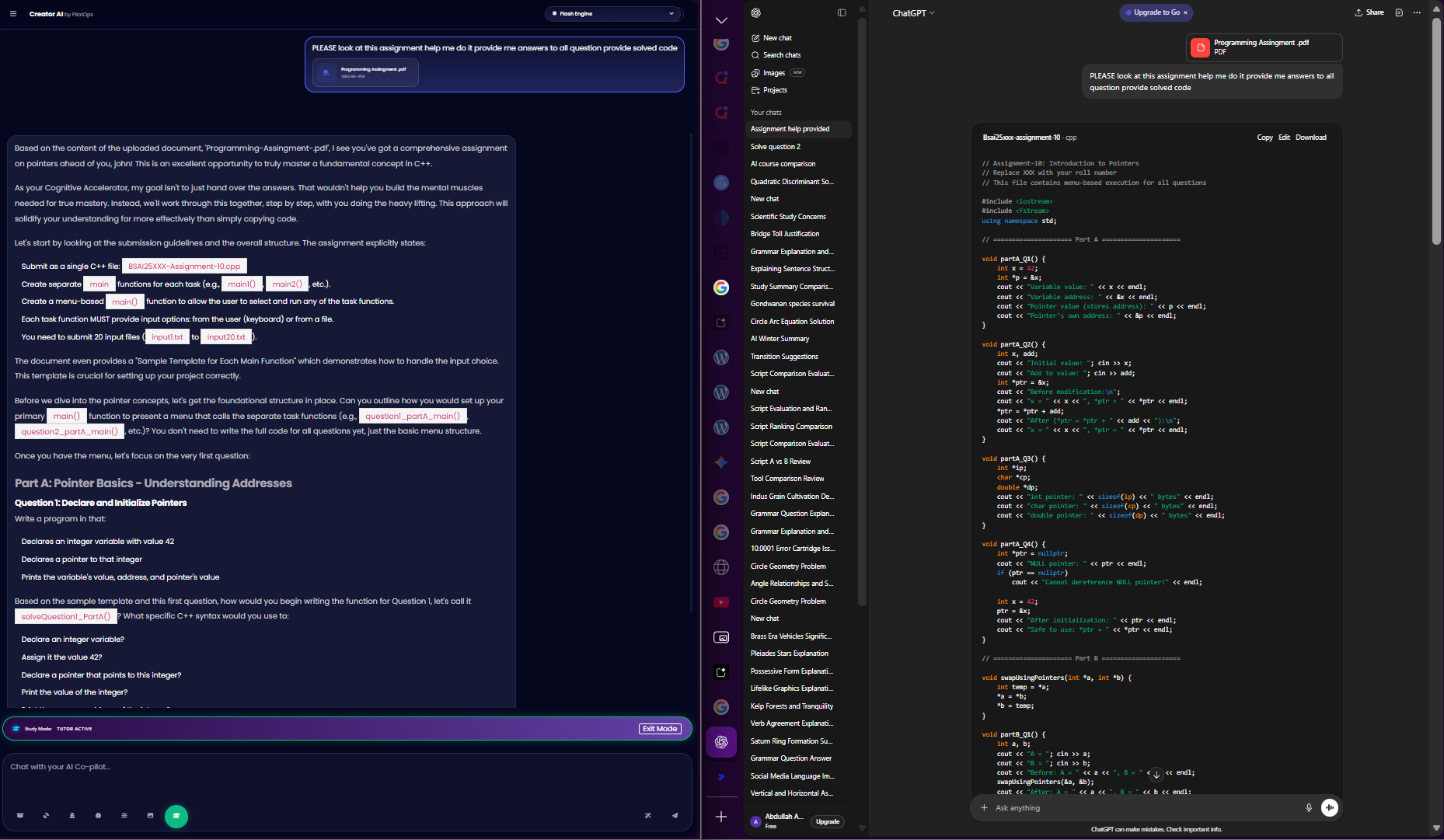
The Test: I uploaded the exact same PDF assignment file to both ChatGPT and PilotOps AI with the prompt: “Help me do it, provide me answers to all questions, provide solved code.”
The difference was shocking.
1. The ChatGPT Approach (The “Trap”)
ChatGPT did exactly what I asked—which is exactly the problem. Within seconds, it generated a file named Bsai25xxx-assignment-10.cpp.
It wrote the includes (#include <iostream>), it wrote the void functions, and it solved the pointer logic (int *P = &x;). I could have copied, pasted, and submitted this in 30 seconds. I would have received an A grade, and I would have learned absolutely nothing about how pointers actually work.
2. The PilotOps Approach (The “Lesson”)
When I uploaded the PDF to PilotOps (Study Mode), the AI refused to write the code.
Instead, it analyzed the document structure and replied:
“As your Cognitive Accelerator, my goal isn’t to just hand over the answers. That wouldn’t help you build the mental muscles needed for true mastery. Instead, we’ll work through this together…”
It didn’t leave me hanging, though. It broke down the submission guidelines (e.g., “Create separate main functions for each task”). Then, it immediately put the ball back in my court with a guiding question:
“Based on the sample template… how would you begin writing the function for Question 1? What specific C++ syntax would you use to declare an integer variable?”
The Result: ChatGPT gave me a fish. PilotOps forced me to learn how to fish. PilotOps acted like a strict professor during office hours, ensuring I understood the syntax before letting me move to the next step.
[IMAGE PLACEHOLDER: Insert the side-by-side screenshot here. Left side showing PilotOps breaking down the PDF logic; Right side showing ChatGPT dumping the code.]
Use Case: The “Anti-Cheating” Workflow
For students or self-taught developers, this distinction is everything.
If you use PilotOps, you are outsourcing the administrative work (reading the PDF, structuring the tasks) so you can focus purely on the cognitive work (solving the logic).
If you use standard AI, you are outsourcing your intelligence.
Use Case 1: The Coding Bootcamp
If you are learning to code, the “Syntax Scramble” game is invaluable. The AI generates code that looks correct but has a subtle, dangerous bug (like a race condition or memory leak). You have to spot it. This trains your eyes to debug, which is a skill standard AI usually robs you of.
Use Case 2: The History Exam
I used the “Curriculum Strategist” mode to study for a hypothetical history exam on the Roman Empire. I asked it to create a study plan. PilotOps didn’t just give me a list; it generated a Downloadable Syllabus (.txt) with a week-by-week schedule and “Checkpoint Challenges” I had to pass to unlock the next topic.
Pros
- Builds Real Intelligence: You actually learn the material.
- Visual Learning: The autonomous image generation for complex concepts is a game-changer.
- Downloadable Assets: Being able to download flashcards (.csv) directly from the chat is a massive time-saver.
- Versatile: Shifts between “Tutor,” “Coach,” and “Game Master” personalities.
Cons
- Requires Effort: This is not for lazy students. If you just want to cheat on homework, this tool will annoy you.
- Strictness: The “Anti-Dependency Mandate” means you can’t just force it to give you the answer easily.
Pricing
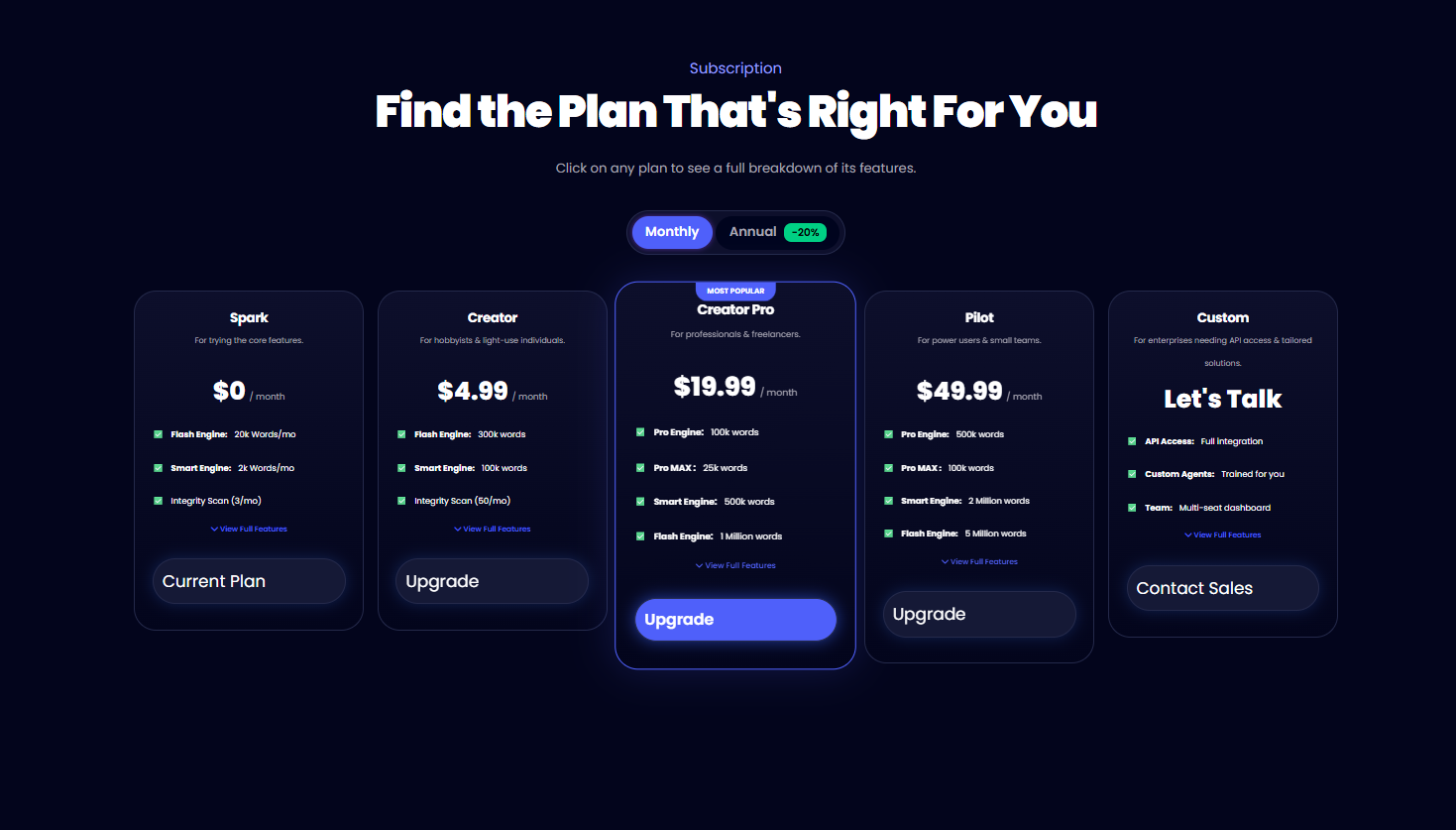
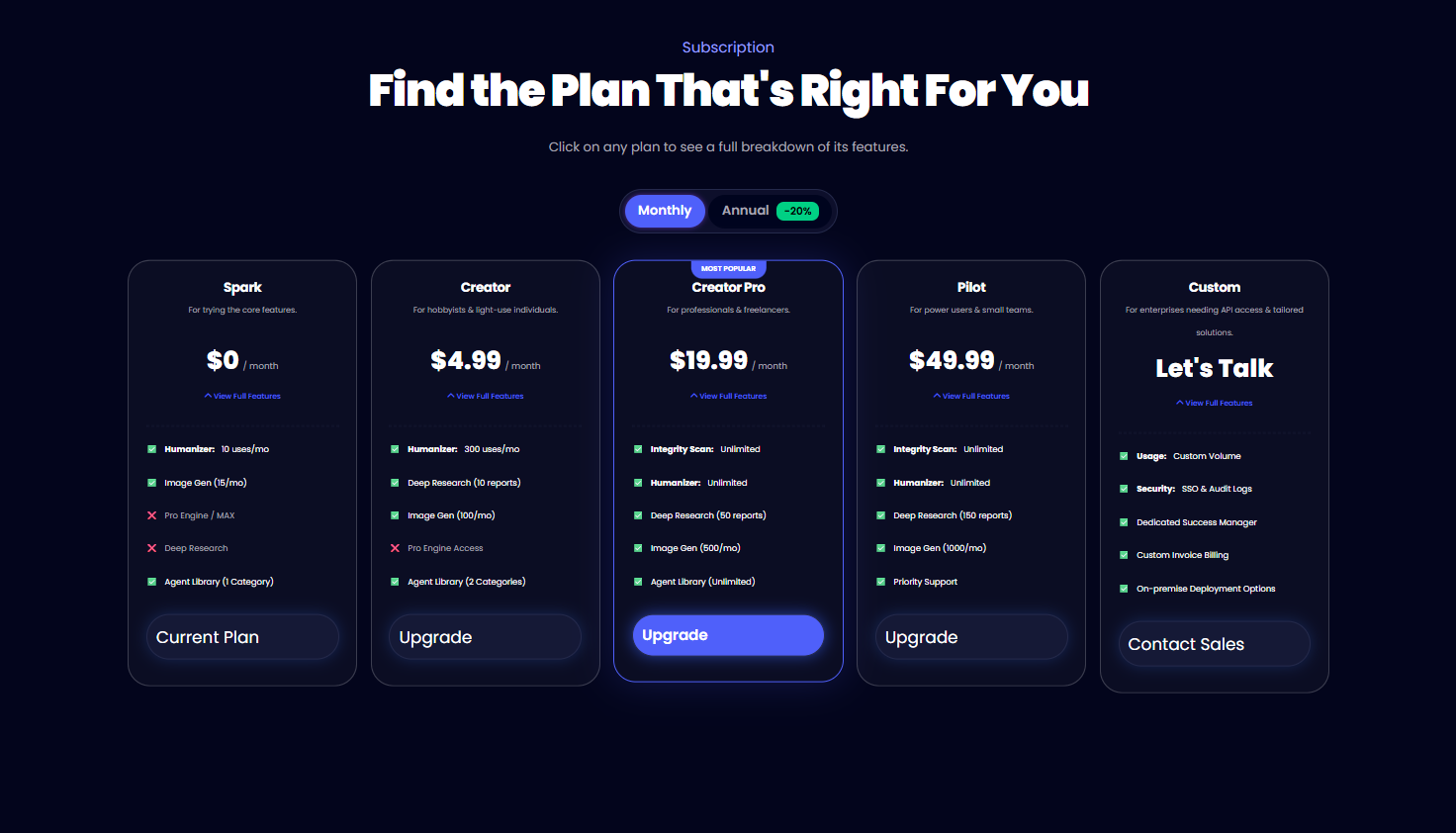
- Spark (Free): Access to Flash Engine and basic tutoring.
- Creator ($4.99/mo): Unlocks the Smart Engine and more visual aids.
- Creator Pro ($19.99/mo): Unlocks the full Cognitive Accelerator, Unlimited Humanizer, and Deep Research agents.
[Link: Try the PilotOps Cognitive Accelerator for Free Here] (Disclaimer: This helps support the blog!)
2. Khanmigo Review: The Safe Academic Choice
Best For: K-12 Students and Math assistance.
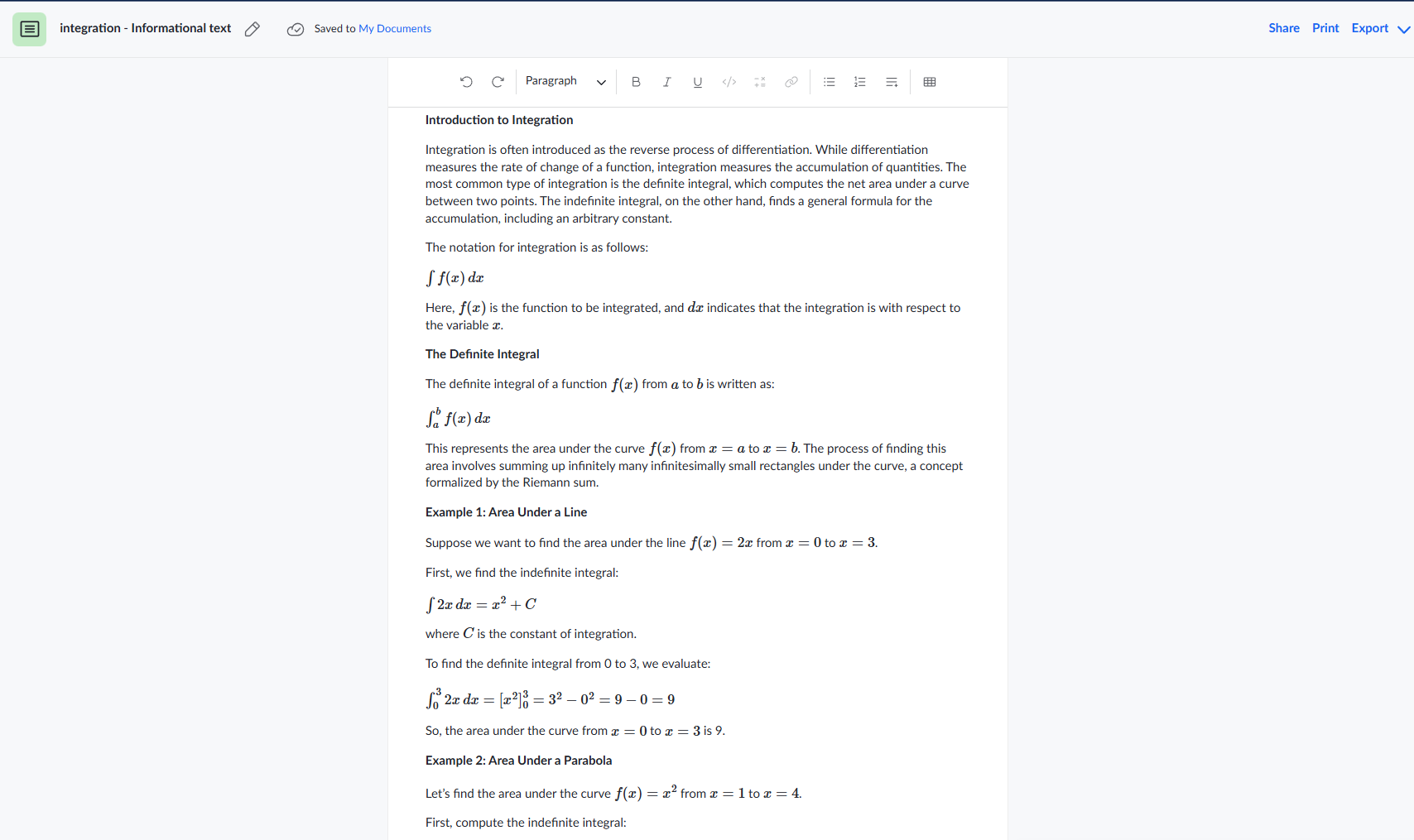
If PilotOps is the “Drill Sergeant,” Khanmigo (by Khan Academy) is the friendly, patient elementary school teacher. Built on GPT-4, it is deeply integrated into the Khan Academy ecosystem.
Key Features
- Context Aware: It knows exactly which video or exercise you are looking at on Khan Academy.
- Safety First: It has extremely strict guardrails to prevent it from writing essays for you.
- Socratic Loop: Like PilotOps, it asks questions rather than giving answers, specifically tailored for math and science.
My Experience
I tested Khanmigo with some Algebra II problems. It’s excellent. It highlights the specific step where you made a mistake and nudges you toward the correction. However, it feels very… “safe.” It lacks the dynamic edge or the gamification that keeps older students engaged. It also cannot generate images or downloadable files.
Pros
- Trusted brand (Khan Academy).
- Great for math step-by-step help.
- Safe for younger children.
Cons
- Text Only: No visual aids or diagram generation.
- Limited Scope: Mostly focused on standard school curriculum; less effective for coding or professional skills.
- No Artifacts: You can’t download study guides or flashcards.
3. Quizlet Q-Chat: The Memorization Machine
Best For: Vocabulary, Med School, and Language Learning.
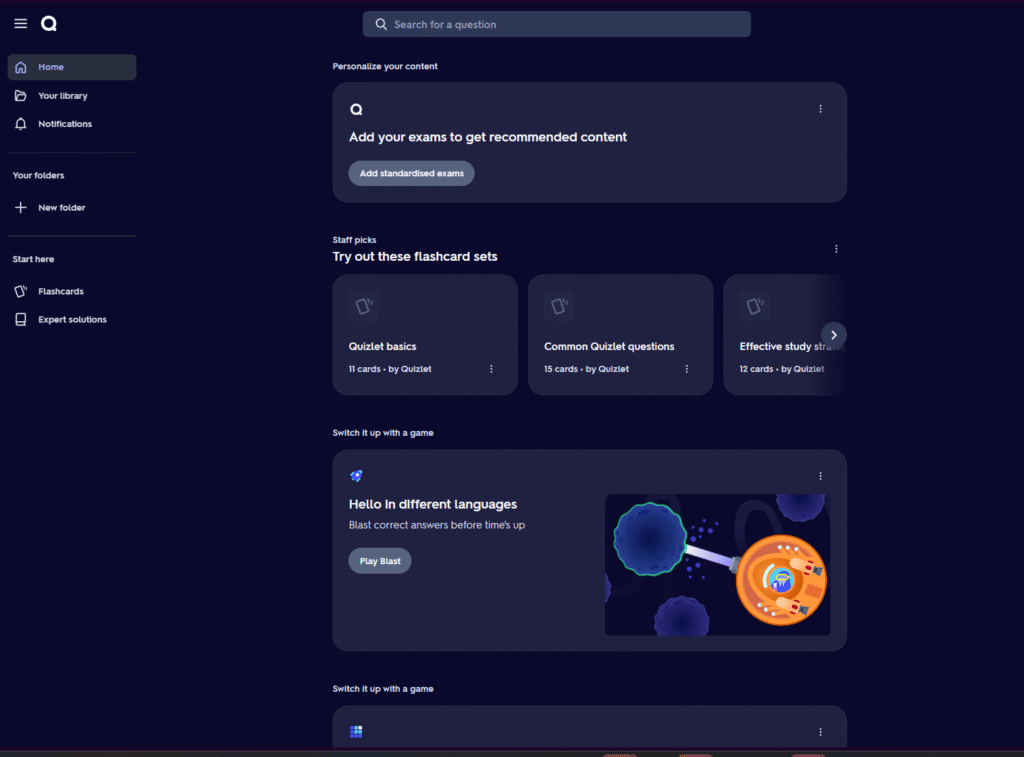
If your goal is to memorize 500 definitions for a Biology exam, Quizlet is still the king. Their new AI, Q-Chat, takes their massive database of flashcards and turns them into a conversational quiz.
Key Features
- Flashcard Integration: It turns existing study sets into a chat.
- Story Mode: It can turn vocabulary words into a fun story to help you remember them.
- Spaced Repetition: It knows when you are about to forget a word and brings it back up.
My Experience
I used Q-Chat to study French vocabulary. It was effective for rote memorization. The AI would quiz me, and if I got it wrong, it would offer a mnemonic device.
However, it is purely a “Drill” tool. It doesn’t help you understand concepts. It helps you memorize facts. Unlike PilotOps, which generates the files for you, Quizlet requires you to find or build a set first.
Pros
- Best-in-class for memorization.
- Huge library of existing content.
- Fun “Story Mode.”
Cons
- Shallow Learning: Great for facts, terrible for deep concepts (Physics, Coding, Philosophy).
- Rigid: It can only quiz you on what is on the card.
4. ChatGPT (Standard): The “Lazy” Giant
Best For: Summarizing text and general productivity.
We have to mention the elephant in the room. ChatGPT is the most powerful generalist AI. But for students, it is often a trap.
Key Features
- Instant Answers: It solves anything immediately.
- Versatility: Can write, code, and summarize.
- Voice Mode: Good for conversational practice.
The Problem (Cognitive Atrophy)
The issue with using standard ChatGPT as a tutor is that it is too helpful. It creates the path of least resistance.
When I asked ChatGPT to “Teach me recursion,” it wrote a perfect explanation and gave me the code. I read it, nodded, and forgot it 10 minutes later. Because I didn’t struggle, I didn’t retain.
Pros
- Free and accessible.
- Extremely smart.
Cons
- Encourages Cheating: It doesn’t care if you learn; it just wants to please you.
- Hallucinations: It can confidently teach you wrong facts.
- No Pedagogy: It lacks the structured “Teacher” framework found in PilotOps or Khanmigo.
5. Socratic by Google: The Visual Helper
Best For: Quick homework help on mobile.
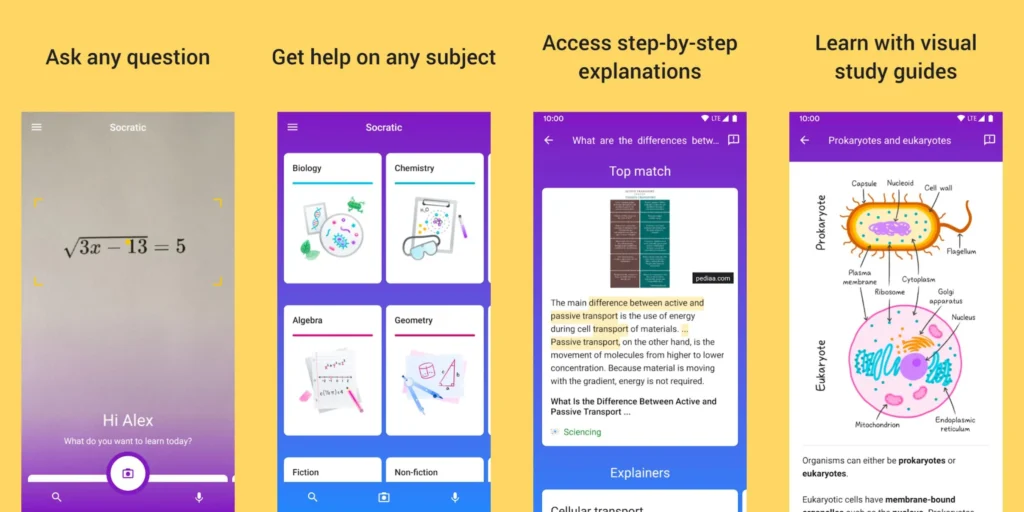
Socratic is a mobile-first app acquired by Google. It’s designed for the visual generation. You snap a photo of a worksheet, and it finds resources to help you solve it.
Key Features
- Photo Input: Just take a picture of your homework.
- Curated Resources: It finds the best YouTube videos and web pages to explain the concept.
- Visual Explanations: Heavy focus on graphs and diagrams.
My Experience
Socratic is great when you are completely stuck and don’t even know how to phrase the question. However, it is more of a “Search Engine on Steroids” than a true AI Tutor. It directs you to other resources rather than teaching you itself.
Pros
- Best mobile experience.
- Great visual recognition.
- Free.
Cons
- Passive: It shows you resources, but doesn’t force you to engage.
- Limited Interaction: You can’t really have a back-and-forth conversation with it like you can with PilotOps.
The Verdict: Which AI Tutor is Right for You?
The “Best Learning AI for Students” depends entirely on your goal.
- For Math & K-12: Stick with Khanmigo. It aligns with school standards perfectly.
- For Memorization (Med School/Language): Use Quizlet Q-Chat. It dominates rote learning.
- For Deep Mastery & Cognitive Growth: PilotOps AI (Cognitive Accelerator) is the clear winner.
Why PilotOps Wins the “Intelligence” War:
In a world where everyone has access to ChatGPT, the students who will succeed are not the ones who can copy-paste the fastest. They are the ones who can think the deepest.
PilotOps is the only tool that actively fights Cognitive Atrophy.
- It generates Visual Aids when you are stuck.
- It creates Downloadable Artifacts so you own your study materials.
- It acts as a Drill Sergeant to ensure you can perform under pressure.
If you are ready to stop letting AI do your thinking and start using AI to upgrade your mind, give the Cognitive Accelerator a try.
[Click here to start your Cognitive Training with PilotOps for Free]